✨
✨
✨
Working our magic...
This might take a moment while we create something special.
From the first login on your dashboard to mastering the fine details of the story editor.
Prefer a visual tour? Watch our 2-minute masterclass on how to create your first MagicBook. For a deep dive into specific features, follow the Text-Picture Guide below.
Perfect for a quick 2-minute overview of the entire process from photo upload to final PDF.
Best for detailed troubleshooting and learning advanced editor tools like layout and typography.
Understanding how Coins power your creative journey.
To start creating, everyone uses a simple system called **Coins**. Every new user gets a gift of **2 FREE Coins** just for signing up!
Enter the Ora MagicBook ecosystem and claim your starting gift.
Ready to make your story? **Sign up and get 2 Free Coins** to start your first adventure! It's fast, easy, and free to join.
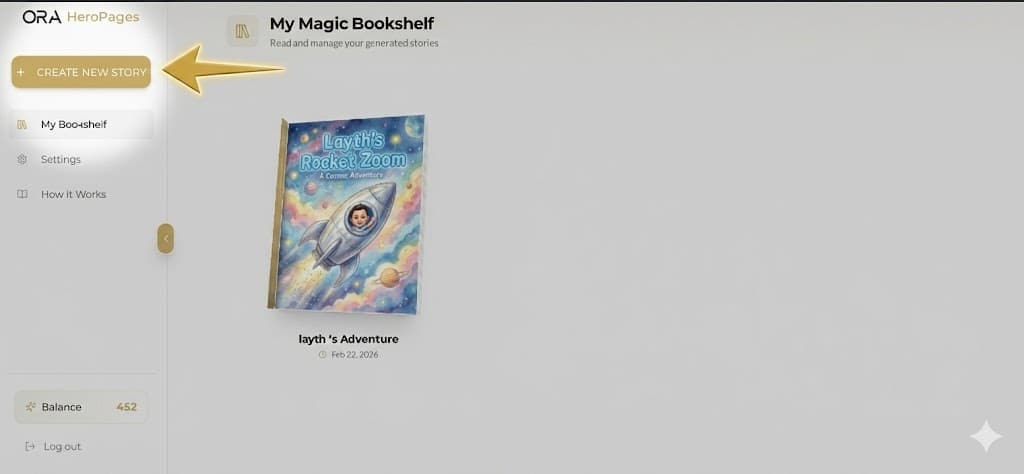
Once you sign up, you'll see the **"Create New Story"** button in your dashboard (shown in the picture). This button takes you straight to the story wizard!
You can also click **"Try it Now"** below to jump into the wizard as a guest and see the magic for yourself.
A magical 4-step process to define your story.
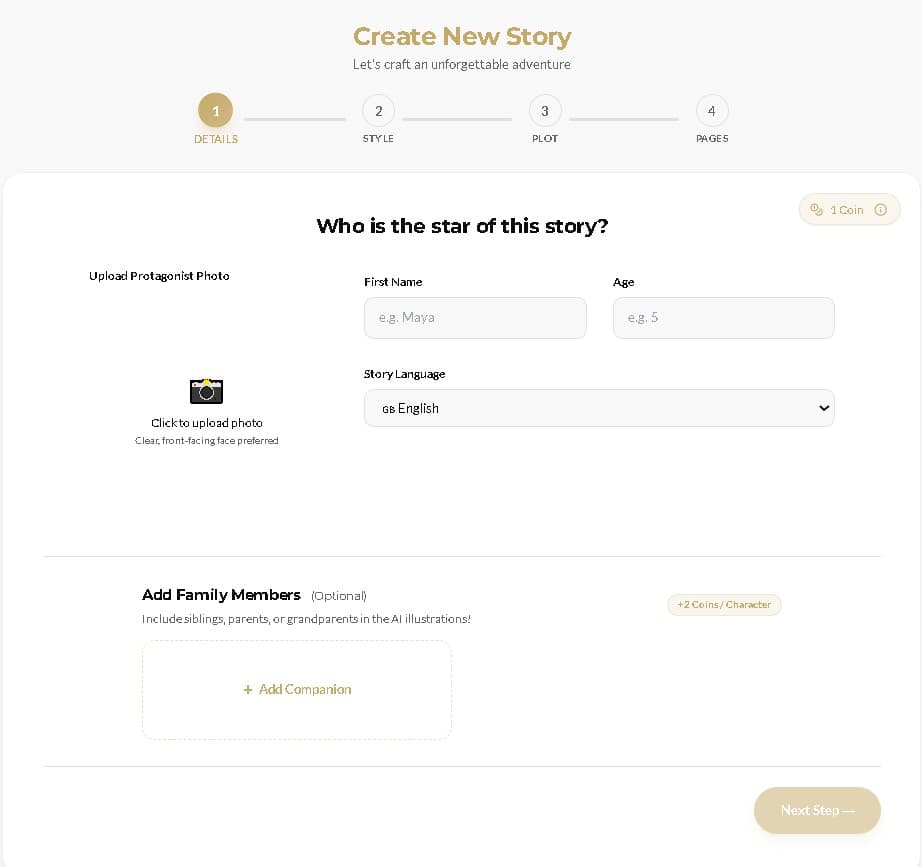
Naming the stars and anchoring their likeness.
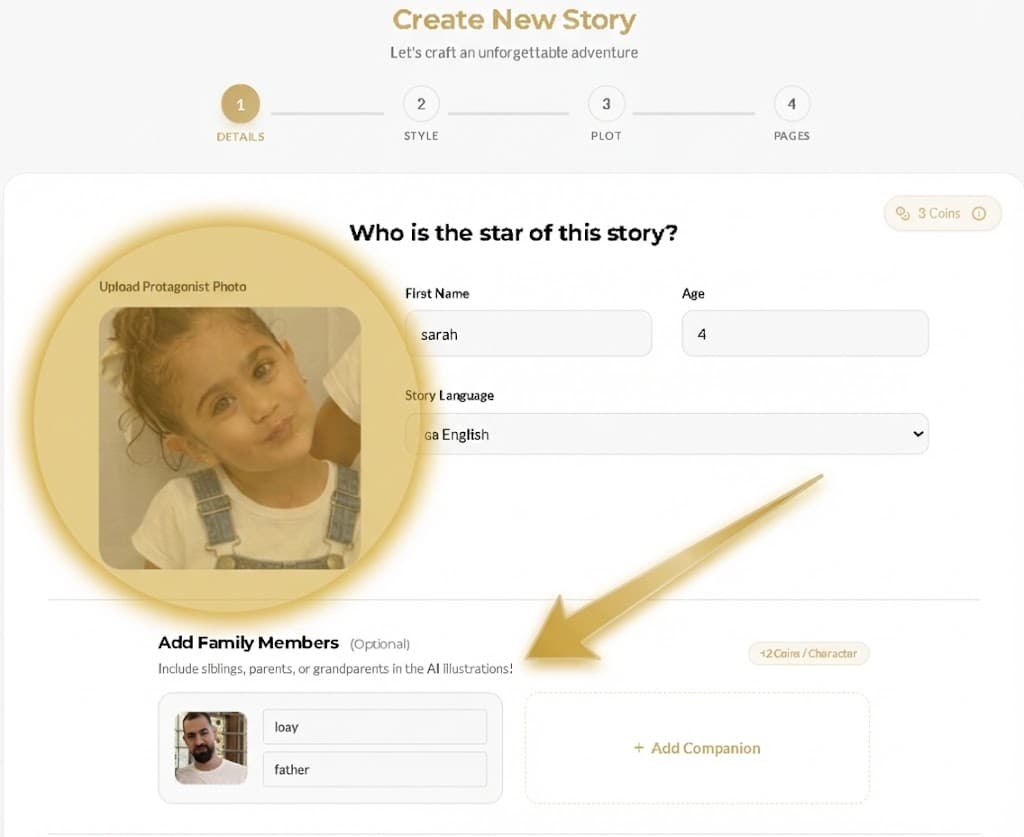
This is where you anchor the "DNA" of your story. Upload a clear photo for the Primary Hero to create a Likeness Blueprint, then add Companion Characters (siblings, parents, or pets) to join the adventure.
Set the Identity Labels (Names, Ages, and Language) so the Ora MagicBook Engine can tailor the vocabulary and relationship dynamics perfectly.
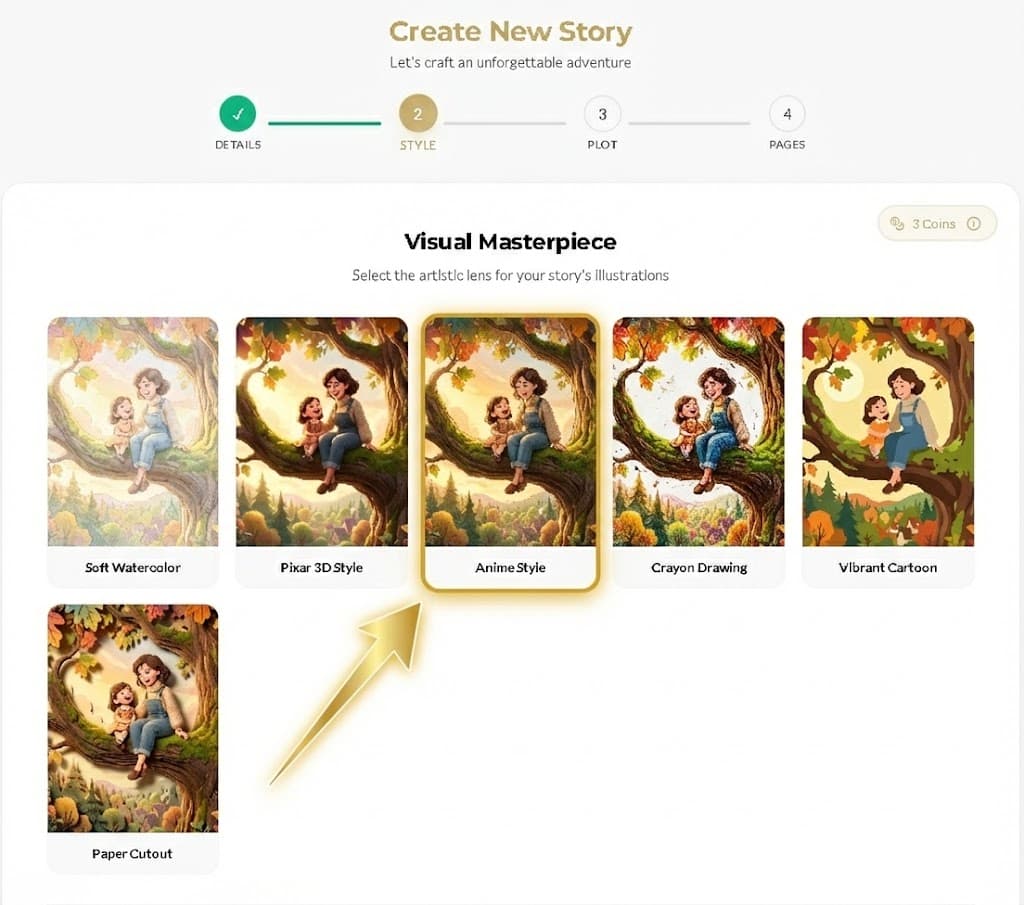
Choosing the visual language of the book.
Setting the scene for adventure.
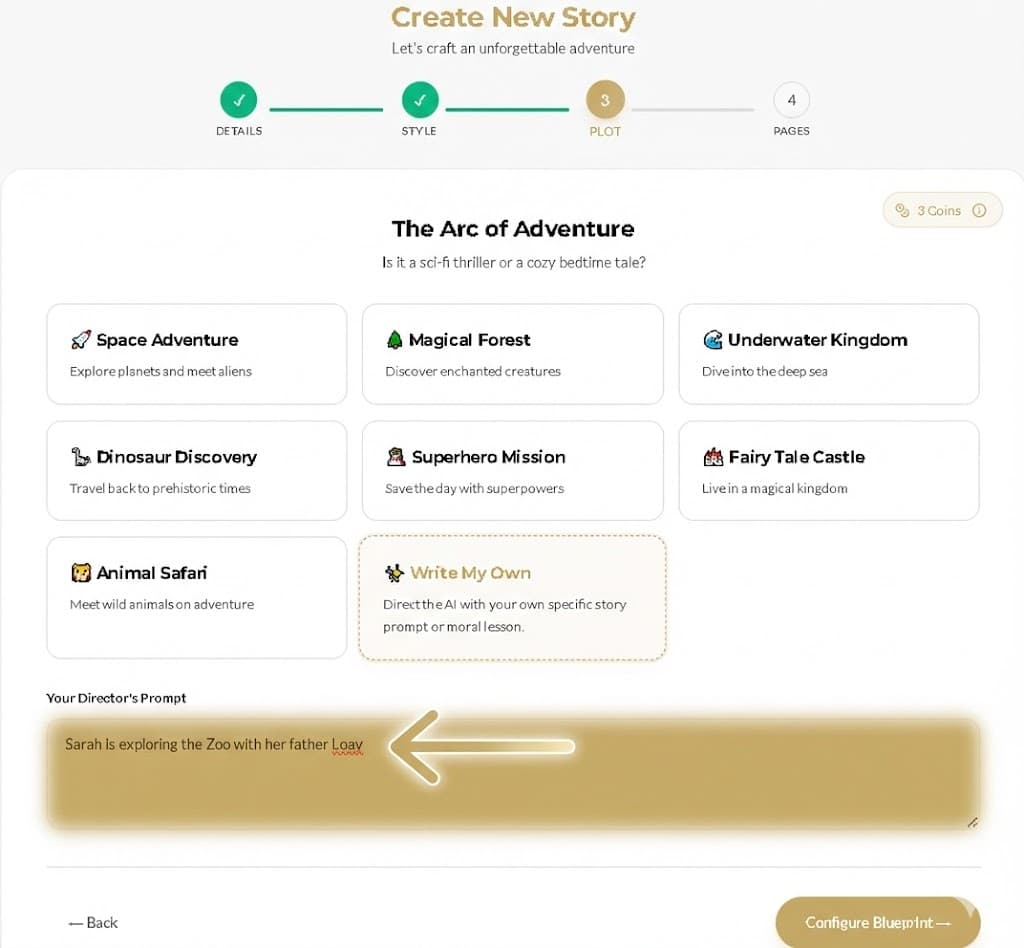
Configuring the scale and initiating the magic.
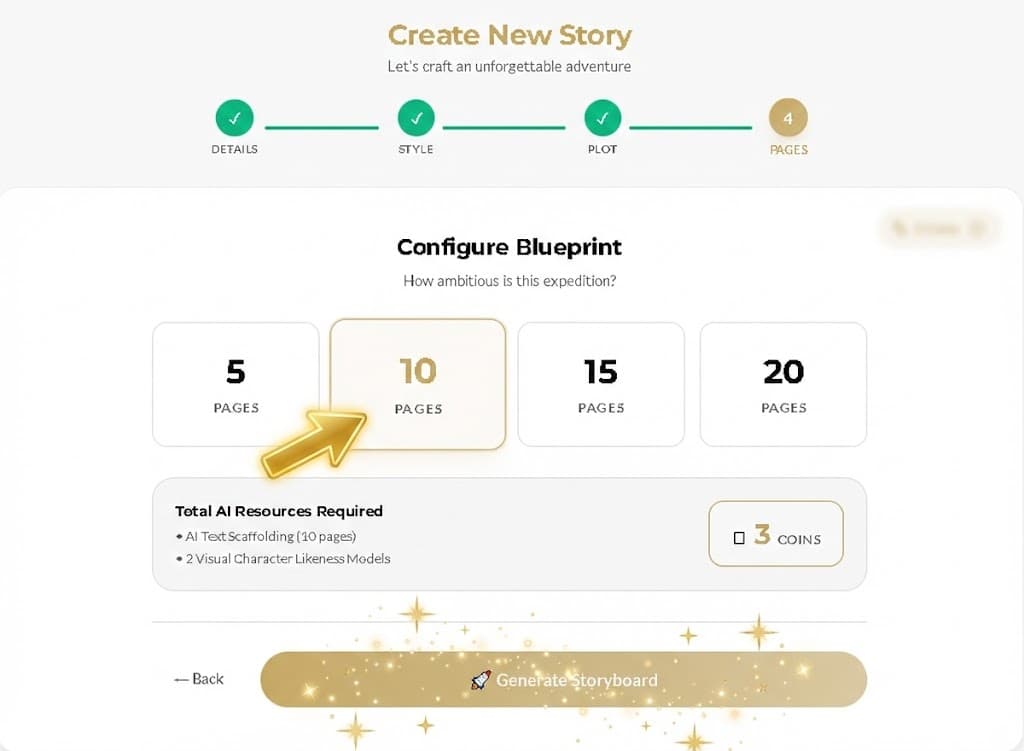
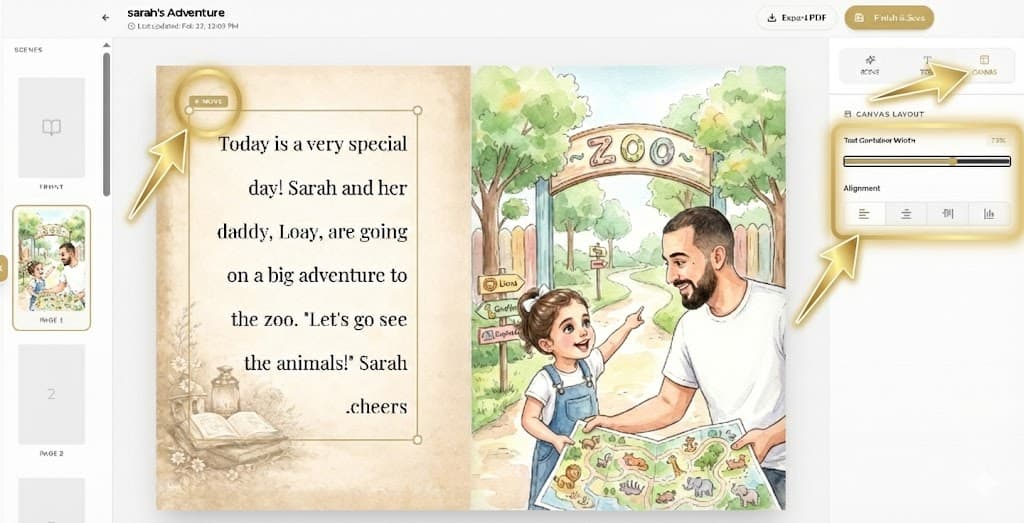
Where imagination meets pro-level design tools.
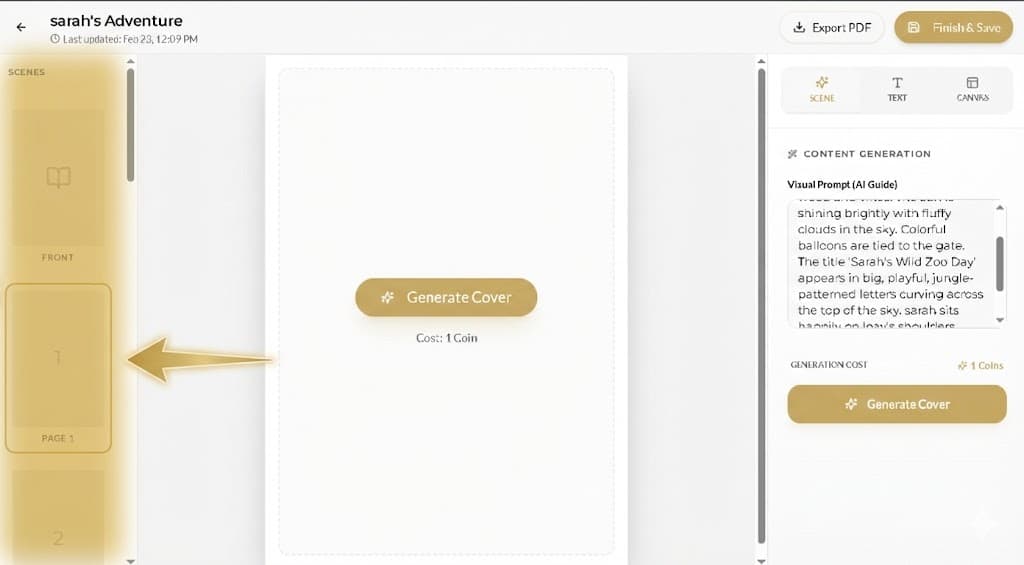
Painting with AI and narrative prompts.
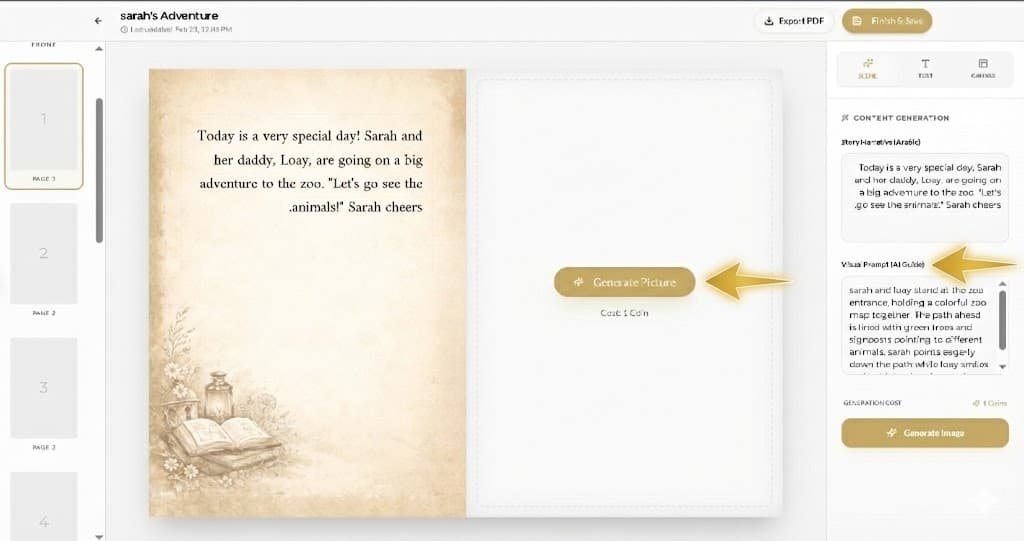
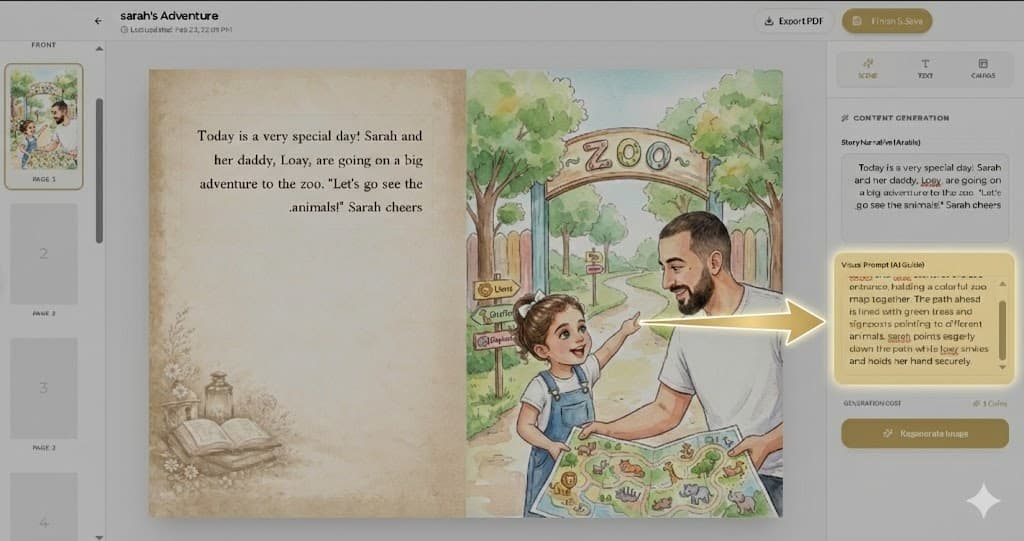
Defining the voice and style of your story.
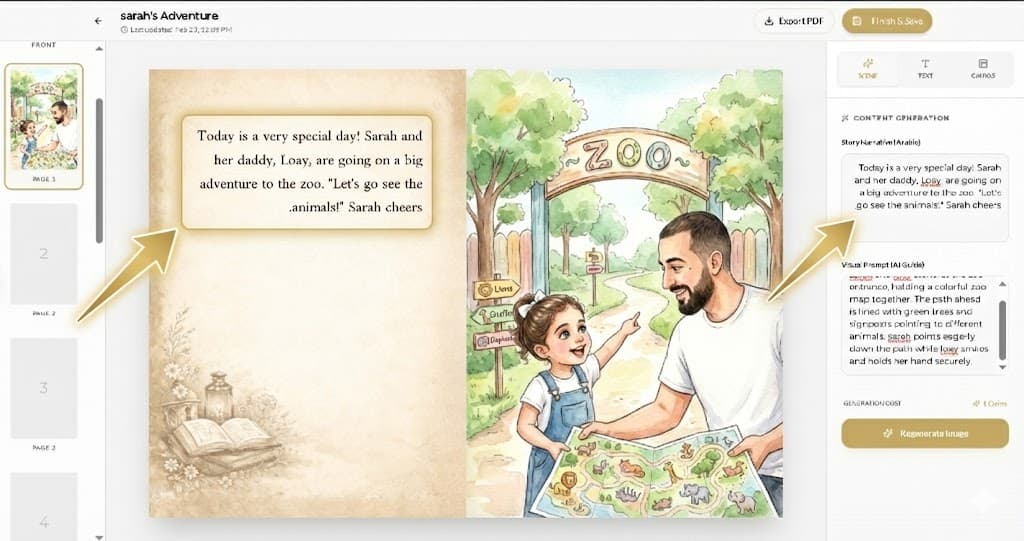
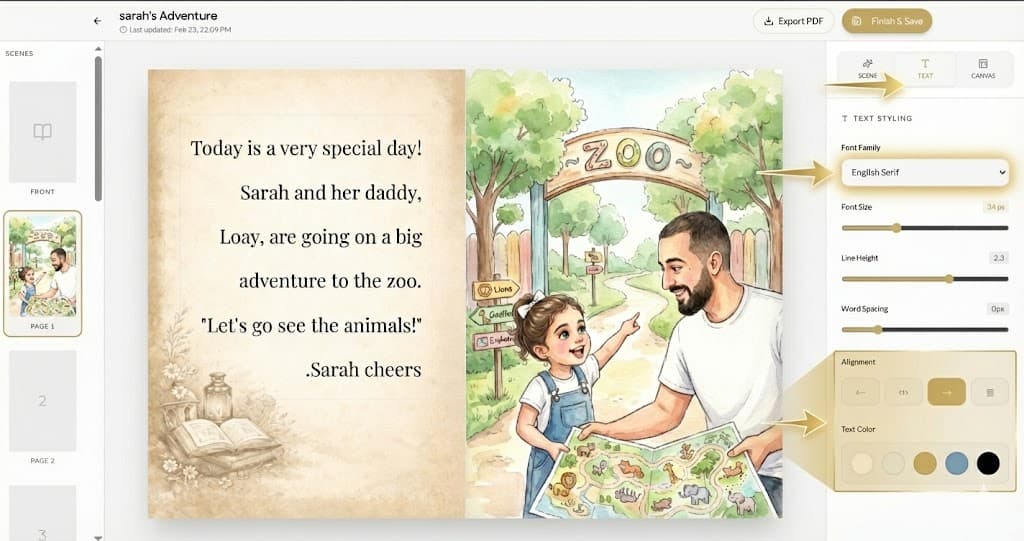
Floating text boxes are designed to never hide the hero's face. Try vertical containers for a modern storytelling feel.
Pixel-perfect positioning on the page.
Collecting your high-resolution masterpiece.
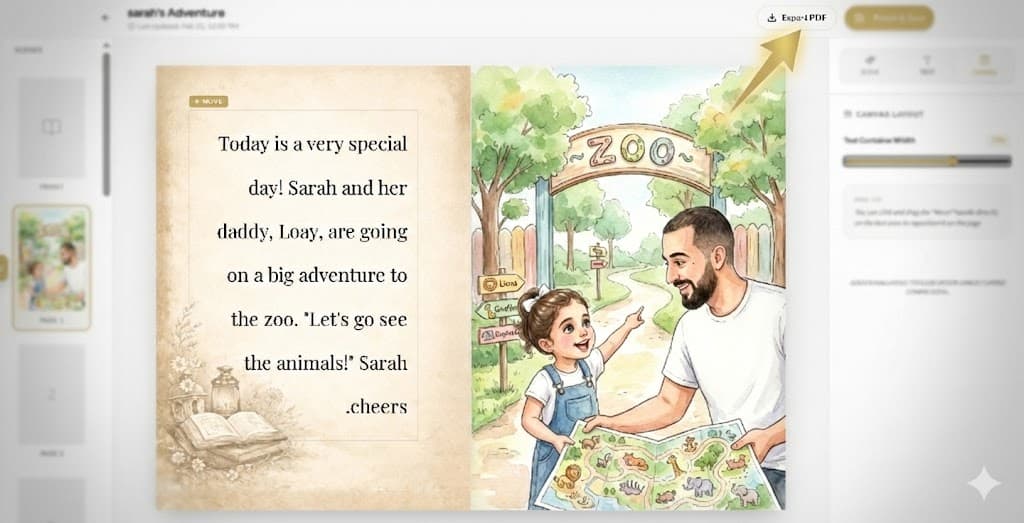
Witness the transformation from real-world inspiration to a finished Ora MagicBook masterpiece.
Crafted by AI. Curated by You. Loved by Them.